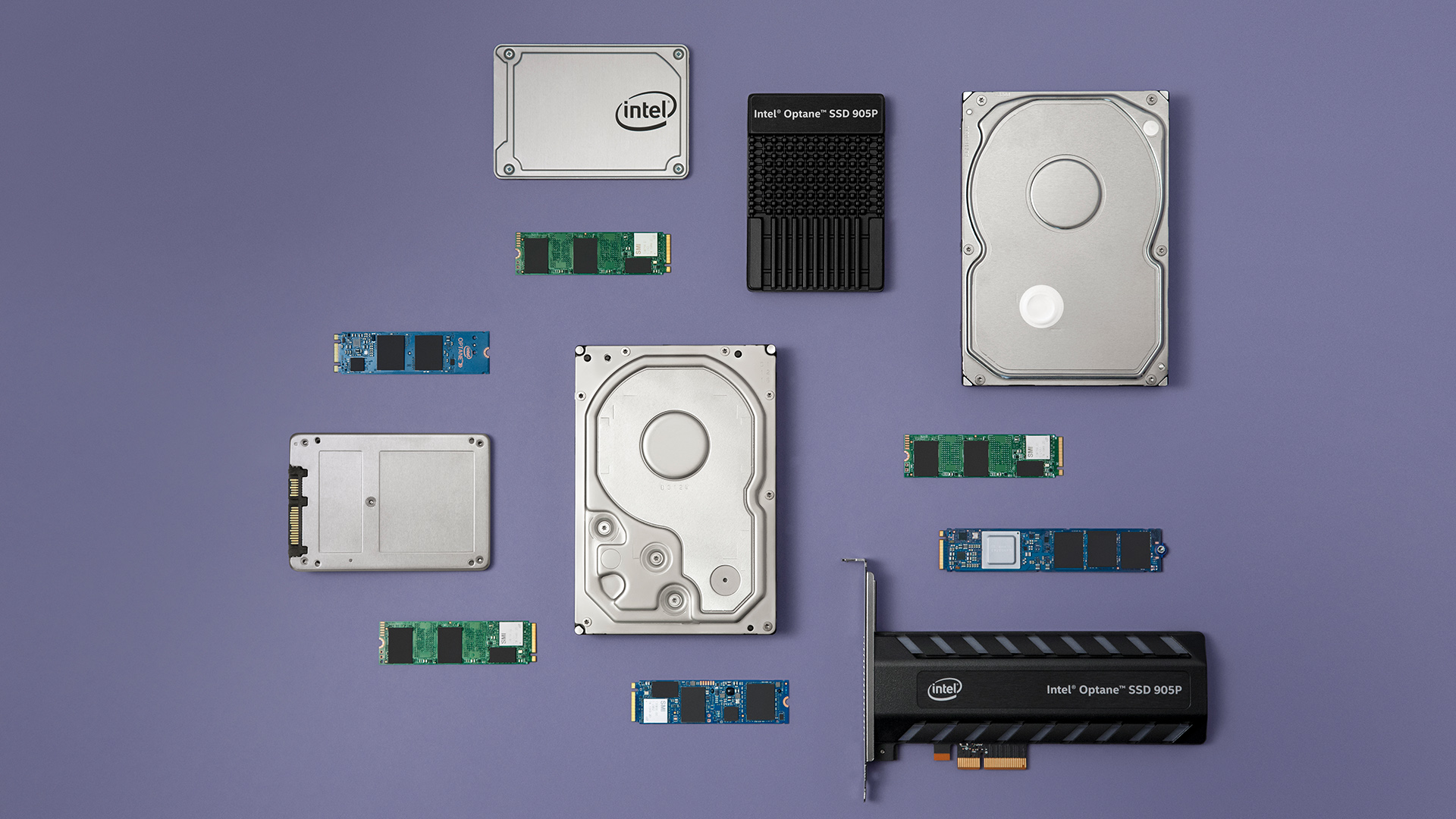
Storage technology evolves rapidly. SSDs are now essential for modern computing. In 2026, you face many choices for your digital storage, which creates confusion. This guide simplifies selecting your ideal ssd hard disk drive. You will understand key ssd specifications. You will learn to match an ssd to your specific use case. You balance performance and cost for your storage needs. This empowers you to choose the perfect storage solution for your system.
Key Takeaways
-
SSDs are faster and more durable than old hard drives. They make your computer start quickly and run smoothly.
-
Choose an SSD based on how you use your computer. NVMe SSDs are best for gaming and professional work, while SATA SSDs work well for everyday tasks.
-
Look at the SSD’s connection type (SATA or NVMe), its size (like 2.5-inch or M.2), and how much data it can hold (like 1TB or 2TB).
-
Newer PCIe generations make NVMe SSDs even faster. Make sure your computer can use the faster speeds if you buy a new NVMe SSD.
-
Good brands like Samsung and Kingston offer reliable SSDs. They provide good performance and last a long time.
SSD Fundamentals
What is a Solid State Drive
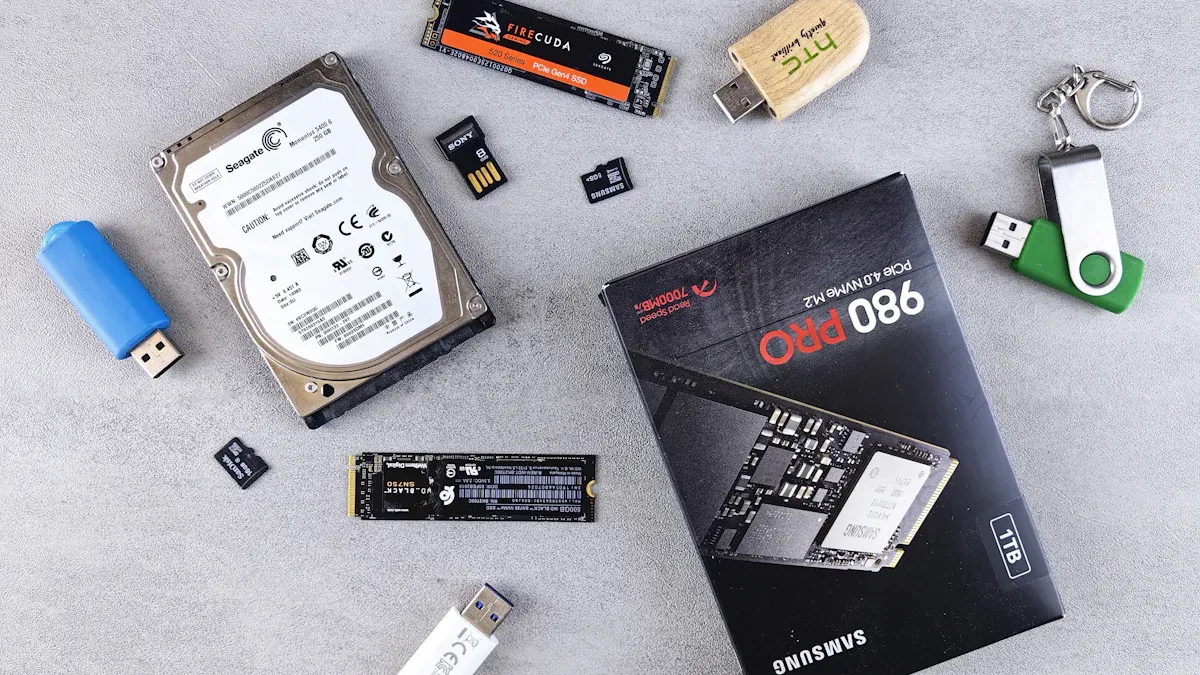
A solid state drive (SSD) is a modern data storage device. It uses flash memory to store your data. This differs greatly from a traditional hard disk drive (HDD). HDDs use spinning platters and read/write heads. An SSD has no moving parts. This design makes it fundamentally different. It changes how your computer accesses data. This type of storage is now standard in many systems. When you consider a new ssd hard disk drive, you are looking at this advanced technology.
Solid State Drive Advantages
You gain many benefits when you choose an SSD. These are often called ssd advantages. First, SSDs offer superior speed. Your computer will experience much faster boot times. Applications launch quicker. File transfers complete rapidly. HDDs need time to spin up. They are inherently slower during daily use. SSDs use flash memory for near-instantaneous data retrieval. This significantly improves overall system performance. This fast data access is a key benefit for any computer storage. Second, SSDs are immune to fragmentation. HDDs can slow down when data scatters across the disk. SSDs do not suffer from this issue. They store data anywhere without performance penalty. This contributes to their consistently faster nature. Third, SSDs consume less power. This means longer battery life for laptops. They also generate less heat. This makes your system run cooler. Finally, SSDs are more durable. They resist shock and vibration better than HDDs. This is because they lack moving parts. This makes them ideal for portable devices. This advanced storage technology provides a robust solution.
Core SSD Components
An SSD relies on several key components. The NAND flash memory chips are central. These chips store your data. You will find different types of NAND, which we will discuss later. The controller chip manages all operations. It handles data reading, writing, and wear leveling. This ensures the longevity of your storage. Some SSDs also include DRAM cache. This cache acts as a buffer. It speeds up data access for frequently used information. These components work together. They provide the high performance and reliability you expect from modern storage.
Key SSD Specifications for 2026
You need to understand several critical technical parameters when you select an ssd hard disk drive. These specifications directly impact your experience. They determine the ssd’s performance, compatibility, and longevity.
SSD Interfaces and Compatibility
The interface defines how your ssd connects to your computer. It also dictates the maximum speed your storage can achieve. You will primarily encounter two main types in 2026: SATA and NVMe.
SATA (Serial Advanced Technology Attachment) is an older, more common interface. It connects via a cable to your motherboard. SATA SSDs offer good performance, but they have a speed limit. They are suitable for general computing and older systems.
NVMe (Non-Volatile Memory Express) is the modern standard. It uses your computer’s PCIe (Peripheral Component Interconnect Express) lanes. This allows for significantly higher data transfer rates. NVMe SSDs offer superior performance. They are essential for demanding tasks like gaming, video editing, and large file transfers. You will find NVMe drives in various PCIe generations. Each new generation offers double the speed of the last. For optimal performance, ensure your motherboard supports the latest PCIe NVMe standard.
Form Factors Explained
The form factor refers to the physical size and shape of your ssd. This determines where you can install your storage.
-
2.5-inch SATA SSDs: These drives look similar to traditional laptop hard drives. They connect via a SATA cable. The Lexar NQ100 2.5” SATA III (6Gb/s) SSD improves system performance. It offers faster boot-ups, application load times, and data transfers. It achieves read speeds up to 550MB/s. It is also cooler, quieter, and more energy-efficient. The Lexar NS100 2.5” SATA III (6Gb/s) SSD provides an easy upgrade. It improves existing system performance with faster boot-ups and application load times. The Patriot P210 2.5” SATA SSD, with its 7mm high form factor, is perfect for easy and fast system upgrades. It provides sufficient storage for large files and efficiency for daily tasks. KingSpec 2.5 SSDs adopt 3D NAND flash memory and semiconductor components. This makes them high-performance and reliable storage devices.
-
M.2 SSDs: These are small, rectangular sticks. They plug directly into an M.2 slot on your motherboard. M.2 drives can be either SATA or NVMe. The M.2 2280 size is very common. The HIKSEMI Future 1TB NVME SSD comes in a compact M.2 2280 form factor. It is suitable for easy integration into desktops and laptops. Its size and optimized power efficiency make it ideal for building high-performance computing systems. This form factor is designed for hardcore gamers and tech-savvy users. It offers high-performance bandwidth and throughput for demanding applications. These include gaming, graphics, and data analytics. You will often see M.2 2280 PCIe 4.0 x4 NVMe drives. They are ideal for systems with limited space.
-
Portable/External SSDs: These are external drives. You connect them via USB. They offer convenient, high- speed storage on the go.
NAND Types and Durability
NAND flash memory is the core component of your ssd. Different types of NAND exist. They offer varying levels of cost, density, and durability. Durability refers to how many times you can write and erase data to a cell. This is measured in Program/Erase (P/E) cycles.
-
SLC (Single-Level Cell): Stores 1 bit per cell. It offers the highest durability and speed. It is also the most expensive. You typically find it in enterprise-grade storage.
-
MLC (Multi-Level Cell): Stores 2 bits per cell. It balances cost and durability. Many consumer and industrial SSDs use MLC.
|
NAND Flash Type |
Durability Rating (P/E Cycles) |
|---|---|
|
MLC NAND |
3,000 |
-
TLC (Triple-Level Cell): Stores 3 bits per cell. It is more affordable and offers higher storage density. It has lower durability than MLC. Most consumer SSDs use TLC.
-
QLC (Quad-Level Cell): Stores 4 bits per cell. It offers the highest storage density and lowest cost. It has the lowest durability.
You should consider the NAND type for your specific use case. Higher durability is crucial for heavy write workloads.
Read/Write Speeds
Read and write speeds are crucial performance metrics for any ssd. They tell you how fast your storage can retrieve and save data.
-
Sequential Speeds: These measure how fast the ssd can read or write large, contiguous blocks of data. High sequential speeds benefit tasks like transferring large files or loading big game levels. NVMe drives excel here. They offer significantly higher sequential speed than SATA SSDs.
-
Random Speeds: These measure how fast the ssd can read or write small, scattered blocks of data. This is more representative of everyday tasks. These include opening applications, booting your operating system, and browsing the web. High random performance is vital for a responsive system.
You will see speeds measured in MB/s (megabytes per second). NVMe drives can reach several thousand MB/s. SATA drives typically max out around 550 MB/s. Faster data transfer rates mean a snappier computer experience.
SSD Reliability and Endurance
Reliability and endurance are key factors for long-term storage. Reliability refers to the drive’s ability to operate without failure. Endurance refers to how much data you can write to the drive over its lifetime.
Manufacturers use two main metrics for endurance:
-
TBW (Total Bytes Written): This indicates the total amount of data you can write to the ssd before it might start to fail. A higher TBW means greater durability.
-
DWPD (Drive Writes Per Day): This metric tells you how many times you can completely fill the drive with data each day over its warranty period. This is more common for enterprise storage.
You want an ssd with good reliability and sufficient endurance for your needs. For most users, modern SSDs offer excellent reliability. They provide more than enough endurance for years of typical use. However, for professional workstations or servers, higher endurance ratings are critical.
Choosing Your SSD Hard Disk Drive by Use Case
You need to select an ssd hard disk drive that perfectly matches your specific needs. Different applications demand different features from your storage. You will find the right ssd for your computer by understanding these distinctions.
Consumer SSDs: Gaming and Everyday Use
You prioritize speed and responsiveness for your personal computer. This applies whether you enjoy gaming or use your system for daily tasks. You want fast boot times and quick application loading. An NVMe ssd significantly improves your system’s overall performance. It makes your gaming setup feel snappier. You will notice a difference when you launch games or open large programs. For a modern PC or game upgrade, you should aim for at least 1TB of storage. This capacity gives you ample space for your operating system, games, and essential applications. Consider the balance between capacity and cost. You can find excellent value in 1TB or 2TB NVMe drives. These provide great performance without a high cost. An ssd for gamers ensures you spend less time waiting and more time playing.
Professional Workstation SSDs
You demand robust storage solutions for professional work. An ssd for professional use must handle intensive tasks. These include video editing, graphic design, and complex data analysis. You need high performance and reliability. NVMe SSDs are essential here. They provide the speed you need for large files and demanding applications.
You should consider these characteristics for your professional workstation ssd:
|
Characteristic |
Recommendation |
Business Impact on Productivity |
|---|---|---|
|
SSD Type |
NVMe SSD |
Instant Access: 100+ times faster than older drives, enabling Windows to boot in seconds and large applications (QuickBooks, Photoshop, CRM) to open almost instantly, saving time on every interaction. |
|
Minimum Capacity |
512GB |
Adequate for everyday users primarily relying on cloud storage. |
|
Recommended Capacity for Heavy Workflow |
1TB to 4TB |
Essential for creative professionals and businesses managing large local data, such as massive photography projects, multiple 4K ProRes video streams without dropped frames, or vast financial databases. |
|
Minimum Capacity for 4K ProRes Streams |
1TB NVMe SSD |
Sufficient for playing back multiple 4K ProRes streams without dropped frames. |
You see that an NVMe ssd is crucial. It offers instant access, making your applications open almost instantly. This saves you valuable time. While 512GB provides a minimum capacity, you will likely need more. For heavy workflows, you should target 1TB to 4TB of storage. This ensures you have enough space for massive photography projects or multiple 4K video streams. You can play back multiple 4K ProRes streams without dropped frames with a 1TB NVMe ssd. This level of performance is vital for your productivity.
Industrial and Embedded SSD Needs
You require specialized storage for industrial and embedded systems. These environments present unique challenges. Your ssd must withstand harsh conditions. You need wide temperature support, from -40°C to +85°C. Power-loss protection (PLP) is critical. It prevents data corruption during unexpected power outages. You also need long lifecycle supply. This ensures consistent component availability for your products. High endurance, measured in TBW or DWPD, is another key factor. This guarantees the ssd can handle continuous write operations. Common applications include industrial PCs, HMI panels, and factory automation equipment. You choose specific form factors like 2.5” SATA ssd, mSATA, or M.2. These industrial ssd solutions provide reliable storage for critical operations.
Server and Data Center SSDs
You manage large-scale data operations in servers and data centers. Here, your ssd choices focus on extreme performance and efficiency. You need extremely low latency. High IOPS (Input/Output Operations Per Second) are also essential. These metrics ensure rapid data processing. NVMe SSDs are the standard for these applications. They deliver the necessary speed for cloud computing servers, AI, and big data storage. You also benefit from better energy efficiency. This reduces operational costs. Enterprise NVMe ssd and U.2/U.3 ssd types are common. They provide the robust storage and performance required for demanding server environments.
NVMe Performance and Compatibility
Understanding NVMe Technology
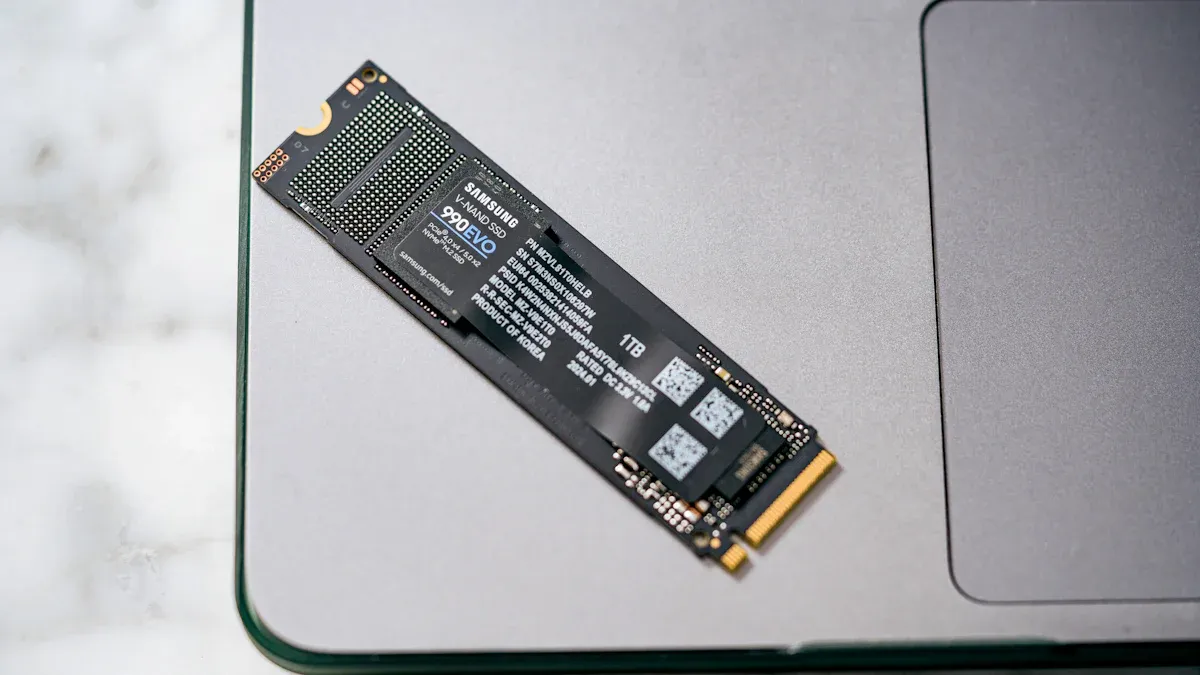
You need to understand NVMe technology. NVMe stands for Non-Volatile Memory Express. This technology uses the PCIe Gen4 x4 M.2 2280 interface. It delivers cutting-edge performance. You get blazing-fast read and write speeds. You experience quick load times. Your system responsiveness improves. Data transfer speeds are enhanced. This makes NVMe ideal for demanding workloads. It benefits gamers and professionals. For example, the Crucial T705 Pro 4TB Gen5 NVMe ssd offers read speeds up to 14,500MB/s. The Samsung 990 PRO 1TB PCIe 4.0 M.2 NVMe ssd provides read speeds up to 7,450 MB/s and write speeds up to 6,900 MB/s. An EASE M.2 NVMe PCIe ssd 1TB has sequential read speeds up to 6500MB/s. NVMe technology enhances storage performance. It uses the PCIe interface. This enables significantly higher data transfer rates. This is better than traditional storage solutions. Features like Samsung’s advanced V-NAND technology and high-performance controllers contribute to exceptional speed and reliability. This technology dramatically reduces load times. It boosts overall system responsiveness. It offers top-tier power efficiency. Some models show up to 50% performance improvement per watt. Nickel-coated controllers and Smart Thermal Control manage temperatures. This ensures sustained high performance during intensive tasks.
PCIe Generations and Speed
You should know about PCIe generations. PCIe generations directly impact your NVMe speed. Each new generation doubles the available bandwidth. For example, PCIe Gen4 is twice as fast as Gen3. PCIe Gen5 is twice as fast as Gen4. You must ensure your motherboard supports the correct PCIe NVMe generation. This allows you to fully utilize your NVMe ssd’s speed. A newer PCIe NVMe slot gives you maximum performance.
NVMe Installation and Setup
Installing an NVMe ssd is straightforward. You insert the NVMe drive into an M.2 slot on your motherboard. You secure it with a small screw. Your operating system often includes necessary drivers. You might need to check your computer’s BIOS/UEFI settings. Ensure your system recognizes the new PCIe NVMe storage. This setup process is quick. It gets your high-speed NVMe storage ready for use.
Recommended SSDs for 2026
You need guidance on specific SSD choices for 2026. This section helps you identify top performers and budget-friendly options. You will also learn about key brands.
Top Performance SSDs
You want the absolute best performance for your system. Consider top-tier NVMe drives. The Samsung 990 Pro is an excellent choice for gaming and overall high-end use. It delivers exceptional speed and reliability. This ssd excels in demanding applications like video editing or large file transfers. For a high-performance laptop, you might look at options like the Crucial P5 Plus. This ssd for laptops offers a great balance of speed and efficiency. These drives provide cutting-edge performance for your most intensive tasks, ensuring your system remains responsive.
Value-Oriented SSDs
You seek a balance between cost and value. Many excellent value-oriented SSDs exist. These drives offer solid performance without breaking your budget. For example, the Kingston NV3 1TB M.2 2280 NVMe SSD has received high praise. Reviewers in early 2025 called it the ‘best value for money Gen 4 NVMe in this budget.’ They noted its strong performance and overall deal. Another reviewer in late 2024 highlighted it as the ‘best budget PCIE 4.0 nvme you will find.’ This drive offers good quality. It also provides improved boot-up times and advertised read/write speeds. These options give you great storage for your money, making upgrades accessible.
Key SSD Brands and Components
You should choose reputable brands when selecting your SSD. Brands like Samsung, Crucial, Kingston, Western Digital, and SK Hynix are well-known. They offer reliable storage solutions. Always check for good warranties and customer support. The internal components also matter significantly. Look for drives with quality NAND flash and robust controllers from manufacturers like Phison or Silicon Motion. These elements ensure long-term durability and consistent operation. Reading real-world benchmarks can help you make an informed decision. You invest in reliable storage when you choose a trusted brand.
Choosing an ssd hard disk drive in 2026 does not have to be complicated. You now understand key factors. Consider interface, form factor, NAND type, speed, endurance, and your specific use case. Assess your individual needs and budget. This helps you balance performance and cost. Armed with this guide, you are well-equipped to select the perfect SSD for your computer.
FAQ
Can I upgrade my old computer with an SSD?
Yes, you can upgrade most older computers. If your computer has a SATA port, you can install a 2.5-inch SATA SSD. This upgrade significantly improves your system’s speed. You will notice faster boot times and application loading.
How much SSD capacity do I really need?
You should consider your primary use. For general use and gaming, 1TB is a good starting point. Professional tasks or large media libraries may require 2TB or more. Always choose a capacity that comfortably holds your operating system and essential files.
What is the main difference between SATA and NVMe SSDs?
SATA SSDs connect via a cable. They offer good performance but have speed limits. NVMe SSDs plug directly into your motherboard’s M.2 slot. They use PCIe lanes for much faster data transfer. You get superior speed with NVMe.
Do I need the latest PCIe generation for my NVMe SSD?
You do not always need the absolute latest. Your motherboard must support the PCIe generation of your NVMe SSD. A newer generation offers higher speeds. However, you may not notice the difference for everyday tasks. Match your SSD to your system’s capabilities.
Is an industrial SSD better for my home PC?
No, an industrial SSD is not typically better for your home PC. Industrial SSDs offer extreme durability and wide temperature support. They cost more. Consumer SSDs provide excellent performance and reliability for home use. You do not need industrial-grade features for a standard PC.
See Also
Unveiling FREESCALE MCF5251CVM140: Essential Features for Automotive Innovation
RV1126: Driving AI Edge Computing Forward in Modern Robotics
Achieving Excellence: Innovation, Quality, and Future Trends in Electronic Components
M30280FAHP Microcontroller: Powering Medical Electronics with Performance and Compliance
LPQ252-CEF: Your Solution for Highly Efficient Power Management